AI TOOL / #07468
Ask Screenshot for Claude
Enhance the productivity of Claude AI through screenshot analysis and text processing techniques.
Introduction
Enhances Claude AI productivity with screenshot and text analysis.
What is the Ask Screenshot AI Chrome extension/plug-in?
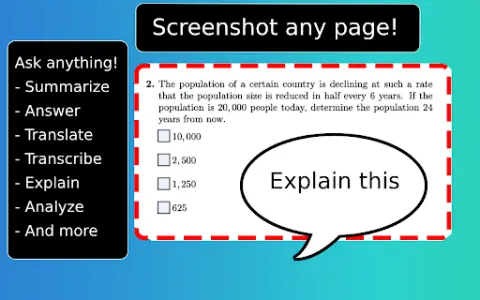
Ask Screenshot is a tool designed to enhance the productivity of Claude AI, allowing users to directly analyze screenshots or selected text within Claude AI. It offers both predefined and customizable templates for tasks such as summarization, transcription, interpretation, and translation.
How to use the Ask Screenshot AI Chrome extension?
To use “Ask Screenshot”, right-click on any page and hover your cursor over “Ask Claude” to access the available screenshot templates. For selected text, right-click on the text in question and hover over “Ask Claude” to view the relevant templates.
Discover the core features of the Screenshot AI Chrome extension/plug-in.
Screenshot analysis: Take a screenshot of the screen and automatically open it within Claude AI.
Text selection analysis: Right-click on any selected text to automatically open it in Claude AI.
Predefined templates: Use templates such as Summary, Explanation, Answer, Translation, etc.
Customizable templates: All templates can be customized to suit your workflow and specific requirements.
Text selection analysis: Right-click on any selected text to automatically open it in Claude AI.
Predefined templates: Use templates such as Summary, Explanation, Answer, Translation, etc.
Customizable templates: All templates can be customized to suit your workflow and specific requirements.
Related
ChatGPT for StackOverflow
A browser extension that integrates ChatGPT answers into StackOverflow, bypassing bans.
Yanbi AI
An AI writing assistant for easy high-quality content creation.
AI Humanize AI
These AI tools are designed to make the text generated by AI indistinguishable from human-written content, ensuring that it reads smoothly and naturally. They also come equipped with other writing tools.
StealthGPT
AI tools are used to create more human-like AI content and to circumvent AI detection systems.
VIT Updated Auto-Capcha (Free)
Use image processing and machine learning to automatically fill in VTOP login verification codes, for free.
TikTok Captcha Solver API
TikTok CAPTCHA solving API for bypassing rotation, puzzle, and 3D shape challenges.