AI TOOL / #07166
GetSearchablePDF
Use OCR technology to convert PDF files into searchable documents.
Introduction
Converts PDFs to searchable documents using OCR.
What is GetSearchablePDF?
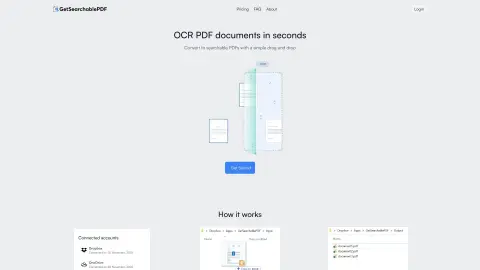
GetSearchablePDF is a service that converts PDF documents into searchable formats by utilizing OCR (Optical Character Recognition) technology. It enables users to transform scanned documents, screenshots, handwritten text, and photos into searchable files. The service places emphasis on ease of use, accuracy, and security; after processing, the files are automatically deleted within 10 minutes. It offers a subscription-based pricing model and also provides a free trial that includes 10 credits.
How to use GetSearchablePDF?
1. Connect your Dropbox or OneDrive account.
2. Drag and drop the PDF file into the input folder (or copy and paste it there).
3. Obtain a searchable PDF file!
2. Drag and drop the PDF file into the input folder (or copy and paste it there).
3. Obtain a searchable PDF file!
The core functionality of GetSearchablePDF
First-class OCR accuracy
Secure file processing (files are automatically deleted after 10 minutes).
Supports handwritten text.
Convert scanned PDF files, screenshots, handwritten text, and photos.
Secure file processing (files are automatically deleted after 10 minutes).
Supports handwritten text.
Convert scanned PDF files, screenshots, handwritten text, and photos.
Related
Answer.ai
An AI-powered tutoring app for students of all grade levels, offering 24/7 support.
Mathos AI
An AI math tutor that helps solve problems by taking pictures
Expenses Day
The digitization of expenses, based on artificial intelligence, includes receipts, bank statements, handwritten lists, and more.
HeyPhoto
Free AI photo editor to easily retouch and adjust faces online.
Liner.ai
A free, code-free tool for training and deploying machine learning models.
Twinit
An AI-based beauty platform designed for skin analysis and personalized recommendations for cosmetics.