AI TOOL / #06135
Ask Screenshot for ChatGPT
Improve ChatGPT productivity by analyzing screenshots and selected text.
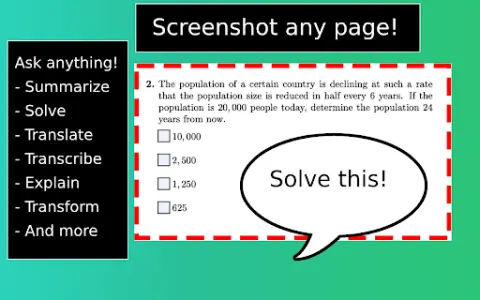
Introduction
Enhances ChatGPT productivity by analyzing screenshots and selected text.
What is the Ask Screenshot AI Chrome extension/plugin?
Ask Screenshot is a tool designed to improve productivity in ChatGPT, allowing users to analyze screenshots or selected text directly within ChatGPT. It offers features such as summarization, transcription, and translation, making it easier to extract information and process content from visual and textual sources.
How do I use the Ask Screenshot AI Chrome extension/plugin?
To use Ask Screenshot, right-click anywhere on any page and hover over Ask GPT to access the available screenshot templates. For selected text, right-click the selected text and hover over Ask GPT to view the available templates.
Core features of the Ask Screenshot AI Chrome extension/plugin
Screenshot and analyze: Take a screenshot and automatically open it in ChatGPT for analysis.
Text selection and analysis: Right-click any selected text to automatically open it in ChatGPT.
Text selection and analysis: Right-click any selected text to automatically open it in ChatGPT.
Related
Sora Video AI
AI video generators convert text and photos into videos.
GrowEasy
AI-driven marketing platform for lead generation and campaign automation.
Promo AI Video Maker
A video creation platform that enables companies to easily produce marketing and promotional videos.
adwisely.com
AI-powered advertising solutions help e-commerce businesses increase their sales and return on investment.
Shots Maker
An AI-powered instant clothing photography platform, equipped with fashion models.
AI Logo Art
Use AI tools to transform a logo into an artistic work that can be used as a promotional visual image.